When you create a new virtual machine with fresh install a version of SCO Openserver prior to version 5.0.6 you may find that it reports that the license is expired:
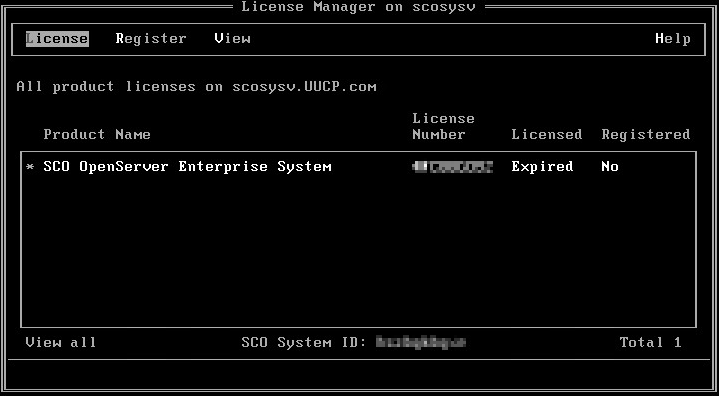
The reason this happens is because earlier releases are not fully year 2000 compliant and if the date the system was installed is after 31st December 1999 then the installation date is incorrect and the license is already expired when you first boot the system. The fix is quite easy:
- Shutdown the VM.
- Go into the Virtual BIOS.
- Set the system date to a date before the year 2000:



You should find that all of the licenses are now properly in place.
Need help with your SCO OpenServer system?
I’ve worked with SCO OpenServer 5 for 20+ years — virtualising ageing hardware, recovering failing servers, modernising legacy output with Microsoft 365 and Power Automate, and helping businesses extract data from systems that were never designed to share it.
If your SCO box still matters to your business, there’s considerably more you can do with it than you might think. Whether you need a quick answer or ongoing support, I’d be glad to hear from you.