Here you can find a collection of precompiled binaries for SCO OpenServer 5.
I created these because SCO OpenServer 5 is very old now, and building modern or even semi-modern open source tools for it can be difficult and time-consuming. These binaries are provided to help people keep legacy SCO systems running, especially where the original system still performs an important business function.
Need help with SCO OpenServer?
I still actively work with SCO OpenServer 5 systems and legacy applications and have achieved some remarkable results modernising them for clients. If you’re running an old SCO system and wondering what’s still possible, get in touch.
Available Binaries
Bootstrap
- curl 7.88.1 with TLS (Install this first)
- GNU Tar 1.34 (Install this next)
- Bash 3.2.57
Working with APIs and JSON
- jq 1.7.1 — command-line JSON processor. Extract fields from API responses, reshape them into CSV for the application to consume, and build correctly-escaped JSON request bodies. Single self-contained binary with the oniguruma regex engine built in.
Modern Userspace
Programming languages
- LUA 5.4.7
- Python 2.7.18
- Python 3.4.10
- Python 3.6.15 (HTTPS + sqlite3)
Printing & document output
Both compiled on OpenServer 5.0.7.
- GNU a2ps 4.14 – text and source to PostScript, with syntax highlighting, headers and n-up layout. Prints straight to a network printer on port 9100 via bash /dev/tcp. (Installs to a fixed path, /usr/local/a2ps-4.14.)
- Ghostscript 9.06 – PostScript and PDF interpreter. Reads modern PDFs (PDF 1.7, transparency, embedded fonts), converts PostScript to and from PDF, and rasterizes for printing. Including to non-PostScript PCL and inkjet printers via ~380 built-in drivers. Single self-contained relocatable binary, no support files.
Other / Standalone
- rsync 3.2.7
- SQLite 3.39.4 (also embedded in Python 3.6’s _sqlite3.so)
Unless otherwise stated the software has been compiled on SCO OpenServer 5.0.6 with
- Release Supplement 5.0.6A for OpenServer 5
- Support Level Supplement (SLS) OSS646C
- OpenServer 5.0.7 GNU Development Tools supplement
- OpenServer Supplemental Graphics, Web and X11 Libraries supplement
I will add more to the collection as and when I need them. Last updated May 2026.
What these tools actually make possible
SCO OpenServer 5 boxes that are still in production tend to share the same problem: the business application running on them works fine, but the operating system is isolated from the modern world. No TLS support means no communication with external APIs or cloud services. No reliable backup tools means a failing disk is a crisis rather than an inconvenience. No scripting capability beyond the stock shell means automation is off the table.
The tools on this page change that, and they do so without touching the core application at all.
Once curl with TLS is in place, the SCO box can communicate securely with any modern HTTPS endpoint – your own APIs, cloud storage, reporting services, whatever you use elsewhere in your infrastructure. That single binary turns a network-isolated legacy machine into one that can participate in your systems.
jq is what makes that practical rather than theoretical. An API response is JSON, and parsing JSON with sed is how integrations break. jq extracts the fields you want, turns them into CSV your application can read, and more importantly builds valid JSON going the other way, so a customer name with an apostrophe in it doesn’t produce a malformed request.
One example of what that makes possible: you can turn the plain text your application prints into branded PDF invoices and reports with a single curl command, without changing the application.
a2ps and Ghostscript give the box a document pipeline that works with no network at all. a2ps turns the plain text your application prints into properly formatted PostScript – paginated, with headers and borders. Ghostscript turns that into a PDF, or rasterizes it for a printer that doesn’t speak PostScript. It also reads modern PDFs, something the 1998-vintage Ghostscript that SCO shipped cannot do at all.
That solves a different problem from the PDF service. The local tools are for operational output – reports, listings, picking notes, anything that needs to be legible and on paper. When the document is going to a customer and has to look like your letterhead, the service does the stationery overlay, needs nothing installed beyond curl, and lets you change the design without ever touching the legacy box. The two also chain: generate the branded PDF through the service, then use Ghostscript locally to print it on whatever printer is actually attached.
rsync gives you proper incremental backups to a modern Linux or NAS box – and when the time comes to migrate data off SCO entirely, rsync is how you do it live, with minimal disruption.
Python 3.6 with SQLite built in means you can run real data extraction and transformation directly on the machine. Pull records from the legacy database, reshape them, write them to SQLite, push them to an external system via curl – all without a middleware server, without a vendor, and without disturbing the application that still needs to run.
GNU tar, bash, and the modern userspace set (coreutils, grep, findutils, gawk) fill in the interoperability gaps:
archives that unpack on any modern system, shell scripting that behaves predictably, and the standard Unix text-processing pipeline (grep -rE | awk ‘…’ | sort -u) that anyone who’s worked on Linux already knows.
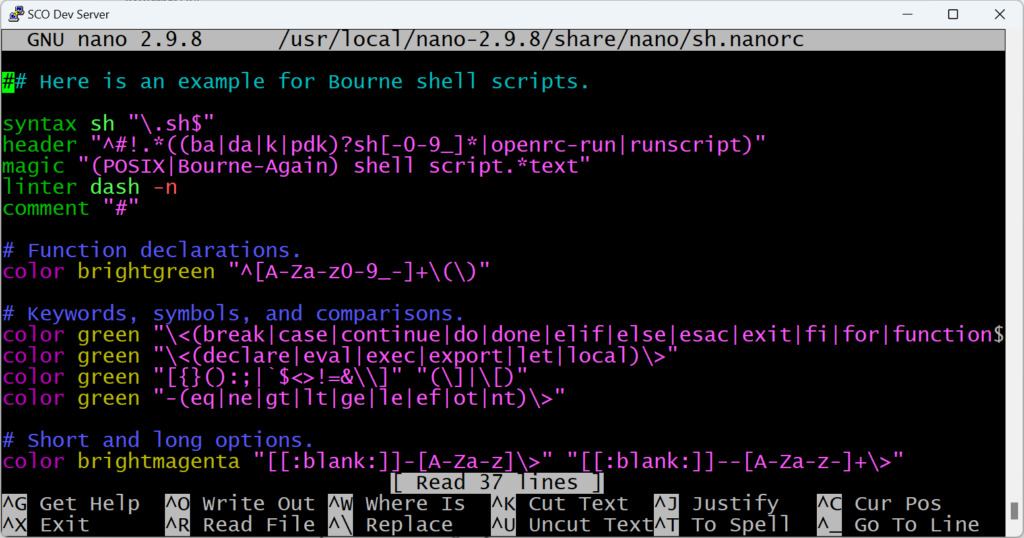
With nano on the box itself, you can write, edit, and run real data-wrangling scripts in place. No need to copy data off to a Linux box, process it, and copy results back.
Together, these tools make a set of things practical that were previously very difficult:
- Reliable, automated off-site backups
- Extracting business data from legacy systems for reporting or migration
- Integrating a SCO box into modern infrastructure without replacing it
- Sysadmin work on the box itself with the same toolchain
- In-place log analysis and reporting – find recent files, grep -rE for patterns, awk for column work, sort -u for distinct counts – without leaving SCO
- Planning and executing a safe, phased move away from SCO – on your terms and timeline, not in a crisis
- Generating branded PDF documents from the plain text your application prints.
- Producing and printing PDFs entirely on the SCO box, including to printers that don’t support PostScript.
None of this requires touching the application or the core OS configuration. These are drop-in binaries that sit quietly in /usr/local/bin and give you options you didn’t have before.
Need help with SCO OpenServer?
I still work with SCO OpenServer 5 systems and legacy business applications. If you need help keeping an old SCO system running, recovering from a failing server, virtualising SCO, sourcing missing tools, fixing backups, or planning a modernisation project, please get in touch.
I can help with:
- SCO OpenServer 5 troubleshooting and maintenance
- Legacy server recovery, backup, and virtualisation
- Printing, terminal, networking, and application environment issues
- Extracting data from legacy systems for reporting or automation
- Modernising legacy workflows with APIs, automation, reporting tools, and cloud-based services
- Planning a safe, phased move away from SCO where appropriate
If you have an old SCO OpenServer system that still matters to your business, I may be able to help you keep it running, reduce risk, and identify sensible opportunities for modernisation. For a full overview of support and modernisation services, visit the SCO OpenServer Support Page.